v1.0 · free forever · no account

Keyboard Clicker Clicks on command.

Automate repetitive clicking without writing scripts or setting up complex macros. Just define a hotkey, choose your click speed, and let it work while you focus on something else. Lightweight, runs in the background, and works exactly as you configure it.

No ads or trackingCompletely freeNo account requiredv1.0
Hotkey triggeredAdjustable speedBackground operationWindows nativeNo dependencies
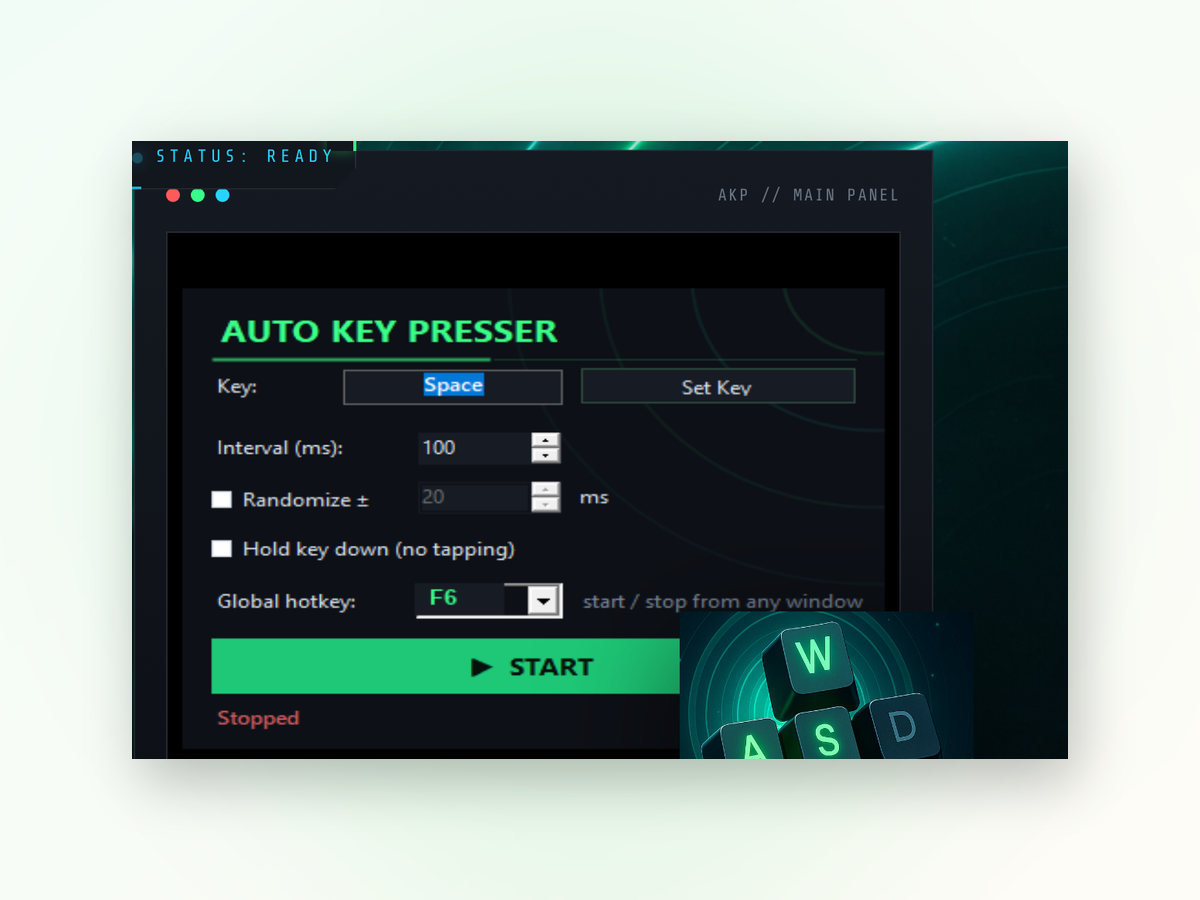
Keyboard Clicker app window on Windows
Why it matters

Why use Keyboard Clicker instead of doing it manually.

Clicking the same spot hundreds of times exhausts your hand and wastes hours. Keyboard Clicker handles it in seconds.

Save your hands

Repetitive clicking causes strain and fatigue over time. Let the tool handle the monotonous work. Your wrist will thank you at the end of the day.

Work at your own speed

You choose the click rate—slow and deliberate or fast and aggressive. Adjust it anytime without restarting. No preset limitations.

Keep doing other things

Start the clicker and switch to another window or task. It keeps clicking in the background. No need to watch your screen while it works.

It's free and simple

No subscriptions, no ads, no forced upgrades. Download it, set your hotkey, and start clicking. That's all there is to it.

Getting started

Set up in under a minute.

Getting Keyboard Clicker running takes just a few clicks of its own.

1
Download the installerGrab the latest release and run the installer on your Windows machine.
2
Launch the applicationOpen Keyboard Clicker and you'll see the main window with speed and hotkey settings.
3
Assign your hotkeyChoose a keyboard combination to trigger the clicker—something you won't press by accident.
4
Adjust clicks per secondSet the clicking speed to match your needs, then press your hotkey to start and stop.
Your questions

Common questions about Keyboard Clicker.

Real results
Inside the appKeyboard Clicker window

See it in action.

Keyboard Clicker performs exactly what you tell it to—no surprises, no hidden behavior. Whether you need steady clicks or rapid-fire automation, the result depends only on your settings.

Runs silentlyOnce activated by your hotkey, the clicker works in the background without blocking your keyboard or mouse.
Predictable timingSet clicks per second and watch it maintain that rhythm consistently until you stop it.
No system overheadUses minimal resources, so your PC stays responsive even during long automation sessions.

Stop clicking manually. Start now.

Download Keyboard Clicker and reclaim the hours you spend on repetitive tasks.

Download for Windows
Latest release · v1.0